TL;DR

Get wellness gear delivered free with Prime
- Fast, free delivery on millions of items
- Prime Video, Amazon Music and more included
- Member-only deals all year
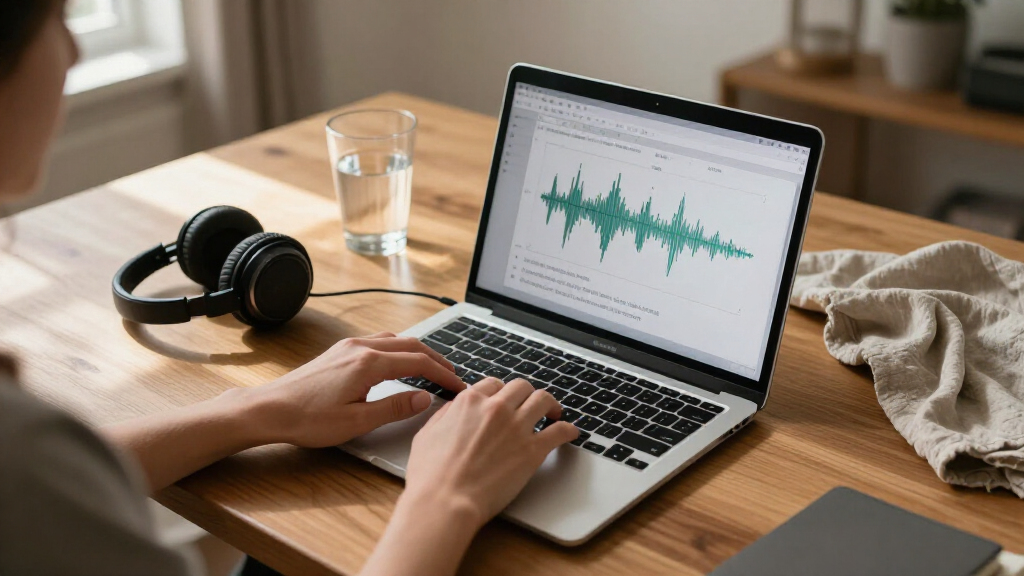
A free macOS app built around Google’s EmbeddingGemma 2 model reports transcribing one hour of audio in 12.6 seconds on a base M3 MacBook Air with 8 GB of memory. The developer says audio stays on the computer, but reports a current word error rate of about 5%, compared with 2–3% for leading speech models.
A developer says its free Mac app can transcribe one hour of audio in 12.6 seconds on a base M3 MacBook Air with 8 GB of memory, using processing that stays on the device. The result is a reported benchmark, not an independent evaluation, and the developer puts the system’s current word error rate at about 5%—higher than the 2–3% it cites for leading speech models.
The app, described in a report on eg2.haku.sh, uses Google’s EmbeddingGemma 2, a model designed to place text, images, audio and video into a shared embedding space. The developer says it adapted the model for speech-to-text even though the base model was not trained for transcription. The app is offered as a free download, version 1.6, for macOS 14 or later on Apple silicon. Its models download on first launch and take up 715 MB.
According to the developer’s account of the method, the model’s audio encoder remains unchanged. A small reader maps short audio segments into the model’s text space, then selects the nearest match from a set of roughly 229,000 English words. A separate, small model adds punctuation and capitalization. The developer says only the reader was trained, in under two hours on eight H100 graphics processors, using openly licensed English speech.
The reported speed comes from a test on a base M3 MacBook Air with 8 GB of memory, where one hour of audio took 12.6 seconds to process. The developer lists a second result on the same computer: IBM Granite Speech 5.0 Turbo, running on the GPU through MLX, processed one hour in 25.7 seconds. These are the developer’s tests; the report cautions that its other comparison figures come from FluidAudio benchmarks run on different, newer Macs and different audio, so they are not a like-for-like ranking.
Fast Transcription Without Uploads
If the reported performance holds in everyday use, the app could make long recordings faster to process on a consumer laptop without sending audio to a cloud service. The developer says the app uses the Mac’s Neural Engine and that audio never leaves the machine. That approach may appeal to people handling private interviews, meetings or personal recordings, while avoiding dependence on an internet connection for transcription.
Speed is only one measure of usefulness. The reported 5% word error rate means the app may produce more mistakes than leading speech-recognition systems, which the developer says typically score around 2–3%. Errors can matter when a transcript is used as a record, particularly for names, figures or specialized vocabulary. The app’s performance therefore needs to be weighed against accuracy and the amount of checking a user is prepared to do.
The project also shows one way an embedding model can be adapted for a different task: rather than replacing its audio encoder, the developer trained a smaller reader to retrieve words from the model’s shared representation. The result is an experiment with an existing multimodal model, not evidence that embedding models generally match dedicated speech-recognition systems.
MacBook Air audio transcription software
As an affiliate, we earn on qualifying purchases.
As an affiliate, we earn on qualifying purchases.
How the Model Produces Text
Embedding models are built to represent different kinds of data in a shared space, so items with related meaning can be positioned near one another. The developer’s explanation says spoken audio can land close to the written form of a word. Its transcription method attempts to read words from that representation, selecting a match for each short slice of audio and then adding punctuation and capitalization.
The reported comparison table gives processing speed as a multiple of real time: the number of seconds of audio handled per second of processing. It lists the app at 288× real time on the base M3 Air and IBM Granite Speech at about 150× on that same machine. Other listed figures include Parakeet and Phonon models on M4 Pro or M5 Pro systems, but those figures come from FluidAudio’s published tests rather than the developer’s same-device comparison. Differences in hardware and test audio mean they should not be read as a controlled ranking.
The app supports two stated workflows: users can drop in an audio file, or hold Right Option, speak and release to dictate into an app. It requires macOS 14 or later and Apple silicon, and downloads its models when first opened. The source does not provide a detailed list of supported audio formats, languages beyond the English-word reader described, or recording conditions for the speed test.
““an hour of audio in about 13 seconds on a base MacBook Air, entirely on device””
— The app’s developer, in the report on eg2.haku.sh
on-device speech to text app for Mac
As an affiliate, we earn on qualifying purchases.
As an affiliate, we earn on qualifying purchases.
Accuracy and Test Conditions
The reported speed and accuracy figures come from the developer’s material, and the source does not describe an independent test. It does not specify the audio’s length distribution, recording quality, number of speakers, accents, background noise or transcription settings used to calculate the 12.6-second result and about 5% word error rate. Those conditions can affect both speed and recognition quality.
It is also unclear how well the system handles languages other than English, specialized terminology, overlapping speakers or punctuation in varied speech. The developer’s account refers to an English vocabulary of about 229,000 words and says a better-trained reader is intended to reduce errors, but does not give a target accuracy or release date for that work. The local-processing claim is stated by the developer; no independent security review is cited.
privacy-focused audio transcription Mac
As an affiliate, we earn on qualifying purchases.
As an affiliate, we earn on qualifying purchases.
A More Accurate Reader Planned
The developer says the next iteration will focus on training a better reader to narrow the accuracy gap with leading speech models. It has not announced when that version will be available or supplied updated test results. For now, users can download version 1.6 for compatible Macs, with the models downloading on first launch.
Further evidence about the app’s practical performance would include reproducible tests across different recordings and speakers, a clearer account of the accuracy test set, and results from independent reviewers. Until those are available, the figures should be treated as developer-reported benchmarks, and users who need a reliable record should check the generated transcript against the audio.
fast speech recognition MacBook M3
As an affiliate, we earn on qualifying purchases.
As an affiliate, we earn on qualifying purchases.
Key Questions
How fast is the reported transcription?
The developer reports that the app processed one hour of audio in 12.6 seconds on a base M3 MacBook Air with 8 GB of memory. The figure comes from the developer’s test, not an independent benchmark.
Does the audio get uploaded?
The developer says the app runs on the Mac’s Neural Engine and that audio never leaves the device. The source does not cite an independent audit of that privacy claim.
How accurate is the transcript?
The developer reports a current word error rate of about 5% and compares that with 2–3% for leading speech models. The source does not provide detailed test conditions, so results for an individual recording may differ.
Which Macs can run the app?
The app requires macOS 14 or later and Apple silicon. The reported speed test used a base M3 MacBook Air with 8 GB of memory; the source does not list a complete range of tested Macs.
What is the developer working on next?
The developer says it plans to train a better reader to improve accuracy. It has not provided a release date or a target word error rate for the next version.
Source: hn
Fall Picks
fall essentials
As an affiliate, we earn on qualifying purchases.