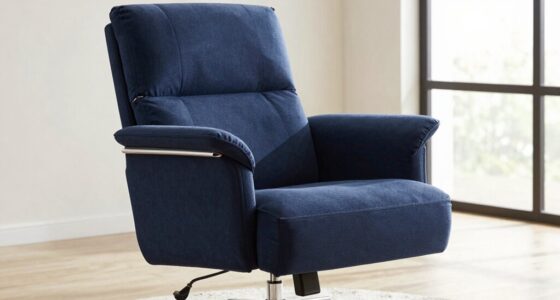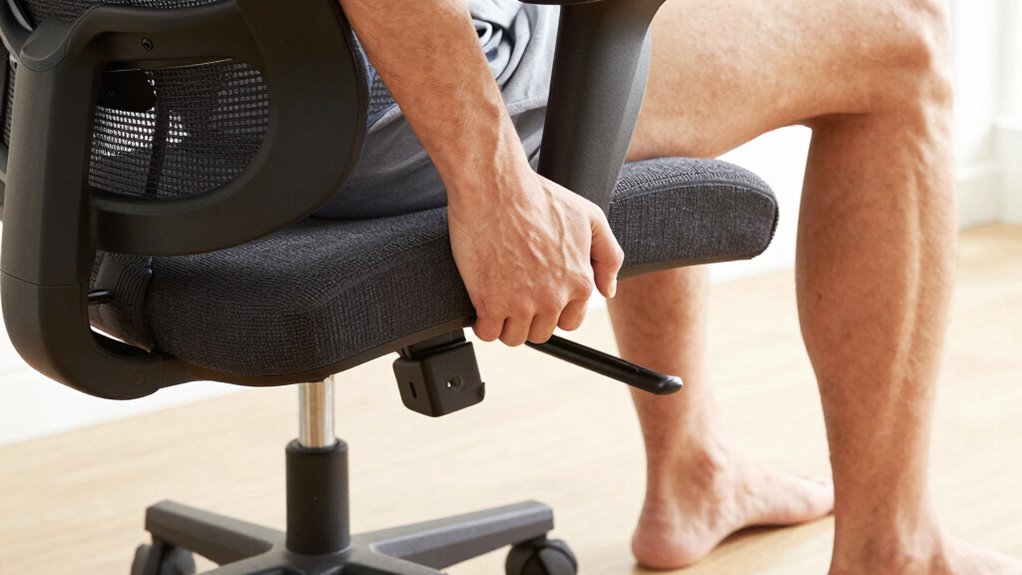

To fit a chair properly for a long torso, start by adjusting the seat height so your feet rest flat on the floor with knees at a 90° angle. Use a lumbar support that aligns with your lower back’s natural curve, and customize the seat depth to avoid pressure on your thighs. Adjust backrest tilt for comfort and support. Fine-tuning these features helps you sit properly and reduces strain, and there’s more to optimize your posture effectively.

Get wellness gear delivered free with Prime
- Fast, free delivery on millions of items
- Prime Video, Amazon Music and more included
- Member-only deals all year
Key Takeaways
- Adjust seat height so feet rest flat on the floor with knees at a 90° angle.
- Use an adjustable lumbar support to fill gaps and support the lower back properly.
- Choose a chair with a higher maximum seat height or add a footrest for proper leg positioning.
- Ensure the backrest supports the entire back, especially the upper and lower regions.
- Customize seat depth to prevent pressure on knees and support thighs comfortably.
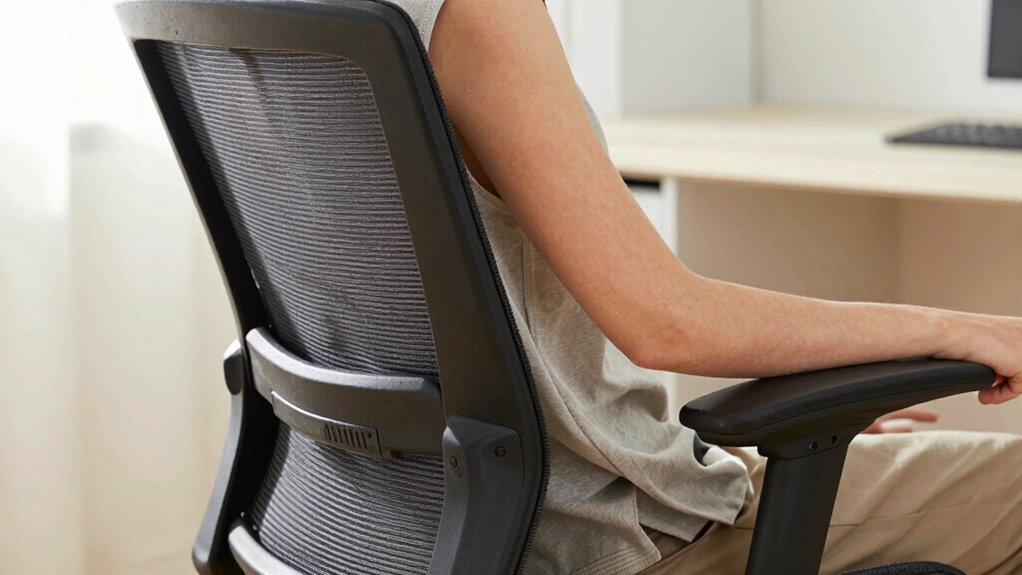
If you have a long torso, finding a chair that fits comfortably can considerably improve your posture and reduce discomfort. Your goal is to align your body correctly to avoid strain and promote comfort during long hours of sitting. To do this, understanding ergonomic principles is essential. These principles focus on designing chairs that support natural body positions, minimize pressure on your spine, and prevent repetitive strain injuries. When choosing a chair, prioritize those with adjustable features, which allow you to customize the fit according to your unique proportions. Adjustable seat height, lumbar support, and backrest tilt are particularly important for long torso users.
Start by setting the seat height so that your feet rest flat on the floor, with your knees at a 90-degree angle. For long torsos, this might mean selecting a chair with a higher maximum seat height or using a footrest. Ensuring your hips are slightly above your knees helps maintain proper spinal alignment and reduces lower back pressure. Next, focus on the lumbar support. Ergonomic principles emphasize maintaining the natural curve of your lower back, so look for a chair with adjustable lumbar support that can be moved up or down. If the lumbar support isn’t adjustable, consider adding a small pillow or lumbar cushion to fill the gap and provide support where your back needs it most.
Adjust seat height and lumbar support for optimal comfort and spinal alignment.
The backrest should support your entire back, especially your upper and lower regions. An adjustable backrest tilt allows you to lean back comfortably without straining your neck or shoulders, which is crucial for long torso users who need to find a supportive reclined position. Make sure the backrest can be positioned to match your spinal curve precisely. The seat depth also matters; if it’s too short, your thighs won’t be supported properly, and if it’s too long, it can put pressure on your knees. Look for chairs with adjustable seat depth or a sliding seat pan to get the right fit. Incorporating ergonomic design principles ensures your chair supports your long torso and overall posture effectively. Additionally, space-saving solutions can help you optimize your small workspace to accommodate ergonomic furniture without clutter. Proper chair adjustments can make a significant difference in comfort and health, especially for long torso users who require more tailored support. Exploring adjustable features can also help you fine-tune your chair for maximum comfort and support.
Making use of ergonomic principles when selecting and adjusting your chair can prevent discomfort and long-term health issues. With these adjustable features aligned to ergonomic principles, you create a customized sitting experience that accommodates your long torso, keeps you comfortable, and promotes good posture. Remember, taking the time to adjust your chair correctly pays off by preventing pain and improving your overall sitting experience.
adjustable ergonomic office chair for long torso
As an affiliate, we earn on qualifying purchases.
As an affiliate, we earn on qualifying purchases.
Frequently Asked Questions
Can Adjustable Lumbar Support Improve Comfort for Long Torso Users?
Yes, adjustable lumbar support can improve comfort for long torso users by providing targeted support for your lower back. An ergonomic design allows you to customize the lumbar support to fit your unique back shape, reducing strain and promoting better posture. When you adjust the lumbar support properly, it alleviates pressure, helps prevent discomfort during long periods of sitting, and enhances overall ergonomic comfort.
What Is the Ideal Seat Depth for Tall Individuals?
Think of your ideal seat depth as a tailored suit—perfectly fitted. For tall individuals, aim for a seat depth of about 17-20 inches, ensuring your back is well-supported without pressure on the knees. Use ergonomic cushions to enhance comfort and a footrest benefits your legs, preventing strain. This setup keeps your posture aligned, making long hours at your desk feel less like a marathon and more like a walk in the park.
How Do I Find a Chair That Supports My Neck Properly?
To support your neck properly, look for a chair with adjustable headrests that promote good neck alignment. Consider ergonomic cushions designed to stabilize your neck and reduce strain during long periods of sitting. Make sure the headrest can be positioned to support your head comfortably without forcing you into unnatural angles. This helps maintain proper posture, prevents discomfort, and keeps your neck well-supported throughout the day.
Are Standing Desks Better Than Traditional Chairs for Long Torsos?
Standing desks can be better than traditional chairs for long torsos because they promote better posture, reduce strain, and encourage movement. You should complement them with ergonomic accessories to support your neck and back. When arranging your office space, guarantee your desk height matches your torso length, and incorporate ergonomic tools to maintain comfort. This setup helps you stay productive, comfortable, and healthy throughout your workday.
How Often Should I Adjust My Chair for Optimal Posture?
You should adjust your chair regularly, ideally every 30 to 60 minutes, to maintain ideal sitting posture. Use ergonomic accessories like cushions or lumbar supports to enhance comfort. Keep your feet flat on the floor, knees at a 90-degree angle, and your monitor at eye level. Frequent adjustments prevent strain, help sustain good posture, and reduce discomfort during long periods of sitting.
ergonomic lumbar support cushion
As an affiliate, we earn on qualifying purchases.
As an affiliate, we earn on qualifying purchases.
Conclusion
Remember, your chair is the ship that carries your day’s journey. When it fits just right, your long torso finds a steady harbor amidst the waves of work and activity. A proper fit isn’t just comfort—it’s your vessel for productivity and well-being. By tuning your chair to match your unique proportions, you’re steering toward balance and ease. Embrace this harmony, and let your workspace become a sanctuary where your posture and purpose sail seamlessly together.
office chair with high seat height
As an affiliate, we earn on qualifying purchases.
As an affiliate, we earn on qualifying purchases.
ergonomic seat depth adjustable chair
As an affiliate, we earn on qualifying purchases.
As an affiliate, we earn on qualifying purchases.
Columbus Day / Indigenous Peoples' Day Picks
long weekend sales
As an affiliate, we earn on qualifying purchases.