
TL;DR

Get wellness gear delivered free with Prime
- Fast, free delivery on millions of items
- Prime Video, Amazon Music and more included
- Member-only deals all year
Building your own AI workstation used to be cheaper and more customizable, but market shortages and bulk discounts now often make prebuilt systems equally or more affordable. The choice depends on your need for speed, support, and control.
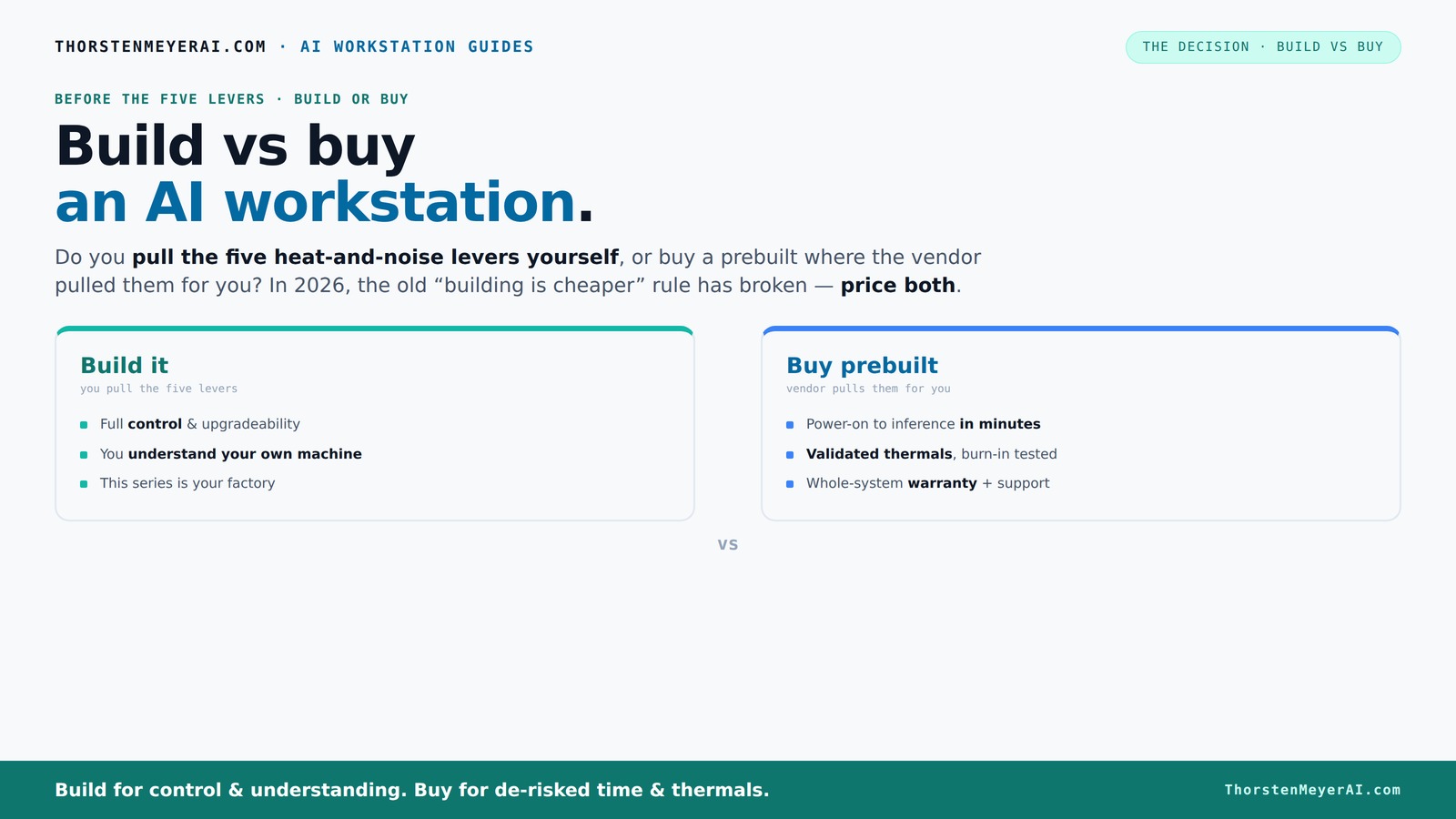
Build vs buy
an AI workstation.
The real question behind this whole series: do you pull the five heat-and-noise levers yourself, or buy a prebuilt where the vendor pulled them for you? And in 2026, the old “building is cheaper” rule has broken. Match your situation in Part 3.
Key Takeaways
- Component shortages in 2026 mean prebuilt AI workstations often match or beat DIY costs.
- Prebuilts offer validated thermals, warranties, and minimal setup — ideal for busy professionals.
- Building your own system gives maximum control, upgradeability, and customization, but requires time and expertise.
- Focus on GPU VRAM, thermals, and power delivery — these are the bottlenecks in AI workloads.
- Support and warranty can save days and reduce stress during hardware failures.
As an affiliate, we earn on qualifying purchases.
Why the old rule of cheaper DIY is broken in 2026
Building your own AI workstation used to be a no-brainer for saving money. But recent market shifts tell a different story. The global chip shortage and high demand for GPUs and DDR5 RAM have driven prices up. A build that used to cost around $1,000 now often exceeds $1,250 — before even factoring in labor or time.
Meanwhile, prebuilt vendors like Lambda or BIZON bought components in bulk before prices spiked. They can offer systems at a price that’s hard to beat even if you assemble it yourself today. According to recent data, a high-end AI workstation with dual GPUs now often costs less prebuilt than sourcing parts separately. That flips the old wisdom on its head.
So, if you’re thinking, “I’ll just build it for cheap,” you might want to double-check. It’s no longer a given that DIY wins on cost, especially when you factor in your time and troubleshooting.
Beyond just the initial expense, the implications are significant. The rising costs mean that DIY builds might no longer offer the intended savings, especially when factoring in the value of your time and potential troubleshooting. This shift forces a reevaluation of what “cost-effective” truly means in 2026 — is it just the sticker price, or the total cost of ownership and effort?
As an affiliate, we earn on qualifying purchases.
Who benefits most from a prebuilt AI workstation?
If you want a machine up and running fast, a prebuilt is often your best bet. Vendors like Puget Systems or Lambda test and validate every system under load — ensuring it won’t throttle during your long training sessions. They tune fans, optimize thermals, and often include water cooling for quieter operation.
For example, Lambda’s systems are tested with 24–48 hours of continuous GPU load, so you get a reliable, ready-to-go machine. Plus, they offer warranties up to 5 years, covering parts and labor — a big plus if you’re working on critical projects or don’t want surprises.
This approach reduces setup time and minimizes the risk of hardware failure or underperformance due to poorly optimized configurations. For professionals and teams who need dependable, consistent performance without the hassle of troubleshooting or assembly, prebuilt systems provide peace of mind. They also ensure that the hardware components work seamlessly together, avoiding compatibility issues that can plague DIY builds — especially when sourcing parts from different vendors or dealing with complex configurations. The tradeoff is paying a premium for this convenience, but for many, the time saved and reliability gained outweighs the extra cost.
As an affiliate, we earn on qualifying purchases.
When building your own AI workstation makes sense
If you love tinkering or want total control over every component, building remains attractive. You pick your GPU — maybe a quieter model — and fine-tune it with undervolting for better thermals. Want to match a specific cooling setup? The case, fans, and power supply are all your call.
For example, a hobbyist who enjoys tuning their system might choose a quiet GPU and a low-noise case to create a silent yet powerful AI rig. This approach offers maximum customization but requires time, knowledge, and a willingness to troubleshoot.
Additionally, building your own system allows you to select high-quality, specialized components that might not be available in prebuilt configurations. For instance, choosing a premium cooling solution or a motherboard with extensive upgrade options can extend your system’s lifespan and performance ceiling. However, this freedom comes with the need to understand compatibility, potential bottlenecks, and the importance of proper thermal management — all of which can influence your overall experience and the long-term value of your investment.
As an affiliate, we earn on qualifying purchases.
Frequently Asked Questions
Is it cheaper to build or buy an AI workstation today?
Market shortages and bulk discounts mean prebuilts often cost as much or less than building your own, especially when factoring in your time and troubleshooting. Always compare prices for your specific configuration. You can also explore options at Build vs Buy a Prebuilt AI Workstation.Which offers better performance for AI workloads: a prebuilt or a custom build?
Both can deliver top performance, but if you want tailored cooling, specific GPU choices, or future upgrade paths, building might edge out prebuilt. For most users, prebuilt systems from trusted vendors are optimized for AI work immediately.What components should I prioritize for an AI workstation?
Focus on GPU VRAM (24–48 GB for large models), a reliable power supply, and effective cooling. These directly impact training speed, inference latency, and system stability.Can I upgrade a prebuilt AI workstation later?
It depends. Many prebuilts use proprietary parts, making upgrades tricky. Some, especially from high-end vendors, are more upgrade-friendly, but building your own typically offers more flexibility.Are AI-specific features like NPUs worth investing in?
For heavy inference workloads, NPUs can boost performance and efficiency. For general AI work, a powerful GPU often suffices, but check if your vendor offers systems with these accelerators if needed.Conclusion
Whether you build or buy depends on your priorities: speed, support, or control. The market now makes prebuilt systems a serious contender for both cost and convenience — don’t dismiss them just yet. In 2026, the smartest choice might be the one that gets your AI project running fastest, with the least hassle.Halloween Picks
halloween
As an affiliate, we earn on qualifying purchases.